
Cyberpunk 2077 in 2026 is a different beast than it was at launch. With Patch 2.2 and the continued evolution of the game’s renderer, Night City can now push even high-end GPUs to their knees — or run surprisingly well on budget hardware, if you know which settings actually matter. Whether you’re on an RTX 4060 trying to break 60 fps or an RX 7900 XTX chasing 144, this guide to the best PC settings for Cyberpunk 2077 FPS in 2026 gives you exact values, not vague sliders.
Why Settings Still Matter in 2026
CDPR’s engine has matured, but it remains one of the most demanding on PC. The best pc settings cyberpunk 2077 fps 2026 advice you’ll find online is often outdated — written before Phantom Liberty’s renderer updates or before AMD’s FSR 4 integration landed. This guide reflects the current patch state and benchmarks run in May 2026.
The short version: crowd density, ray tracing, and volumetric fog are the three biggest FPS killers. Everything else is mostly cosmetic noise.
Hardware Tier Expectations (May 2026)
Before diving into settings, know what your GPU can realistically achieve at 1080p, 1440p, and 4K with optimized settings (no path tracing, upscaling enabled):
Budget Tier
| GPU | 1080p FPS | 1440p FPS |
|---|---|---|
| RTX 3060 | 70–85 | 45–58 |
| RX 6700 XT | 75–90 | 50–62 |
| RTX 4060 | 85–105 | 58–72 |
Mid-Range Tier
| GPU | 1080p FPS | 1440p FPS |
|---|---|---|
| RTX 4070 | 110–130 | 78–95 |
| RX 7800 XT | 105–125 | 72–90 |
| RTX 3080 10GB | 100–120 | 70–88 |
High-End Tier
| GPU | 1440p FPS | 4K FPS |
|---|---|---|
| RTX 4080 Super | 120–145 | 75–95 |
| RTX 4090 | 145–180 | 95–120 |
| RX 7900 XTX | 130–160 | 85–108 |
Note: These ranges assume DLSS Quality / FSR Quality upscaling is enabled. Native resolution drops all figures by 20–35%.
The Core Graphics Settings: What to Change First
Display Settings
- Resolution Scaling: Enable DLSS (Nvidia) or FSR 4 (AMD) — set to Quality mode for the best balance. On RTX 40-series cards, DLSS 3.7 Frame Generation adds 40–60% more fps with minimal visual cost.
- Field of View: Keep between 80–90. Higher FOV increases GPU load noticeably.
- Motion Blur: Off. Zero fps cost, removes visual noise.
- Film Grain / Chromatic Aberration: Off. Free fps and cleaner image.
Graphics Quality Settings
These are your biggest levers. Use this as your baseline:
| Setting | Budget GPU | Mid GPU | High-End GPU |
|---|---|---|---|
| Texture Quality | High | Ultra | Ultra |
| Shadow Quality | Medium | High | Ultra |
| Shadow Range | Medium | High | High |
| Cascaded Shadows | Off | Medium | High |
| Ambient Occlusion | Off | SSAO | GTAO |
| Local Shadow Mesh | Medium | High | Ultra |
| Volumetric Fog | Low | Medium | High |
| Volumetric Cloud | Off | Off | Medium |
| Screen Space Reflections | Medium | High | High |
| Mirror Quality | Low | Medium | High |
| Subsurface Scattering | Off | Medium | High |
| Anisotropic Filtering | 8x | 16x | 16x |
| Crowd Density | Low | Medium | Medium |
| Contact Shadows | Off | Off | On |
| Improved Facial Lighting | Off | On | On |
The Two Most Important Settings on This List
Volumetric Fog — Moving this from Ultra to Low alone can recover 12–18 fps in dense city areas like Japantown or Watson. The visual difference is almost imperceptible from ground level.
Crowd Density — This is a CPU setting as much as a GPU one. Night City’s NPC density scales heavily with CPU thread performance. On anything below a Ryzen 7 7700X or Core i7-13700, keep this at Low or Medium. Going from High to Low can add 8–15 fps on CPU-bound systems.
Ray Tracing: When to Enable It (and When to Skip It)
Ray tracing in Cyberpunk 2077 comes in two flavors in 2026: standard RT and Path Tracing (formerly called RT Overdrive).
Standard Ray Tracing (RTX 3060 and above)
If you’re chasing the best pc settings cyberpunk 2077 fps 2026 balance of visuals and performance, standard RT is viable with these specific options:
- Ray-Traced Reflections: On — this is the most visible RT effect in Night City’s wet streets
- Ray-Traced Shadows: Off — the performance cost is high and shadow quality is already good with rasterized cascaded shadows
- Ray-Traced Ambient Occlusion: Off — GTAO is 90% as good at 10% of the cost
- Ray-Traced Local Shadows: Off unless on RTX 4070 Ti or above
Path Tracing (RTX 4080+ / RX 7900 XTX only)
Path tracing completely transforms Night City’s lighting but costs 40–60% fps even with upscaling. Only enable it if you can maintain 60+ fps with DLSS/FSR Quality enabled. On RTX 4090 at 1440p with DLSS Quality + Frame Gen, expect 85–110 fps in path tracing mode.
Path Tracing tip: Enable Psycho preset only as a starting point, then disable Ray-Traced Diffuse Illumination if fps dips below 60. It’s the most expensive single toggle in the entire settings menu.
Upscaling in 2026: DLSS vs FSR vs XeSS
This is no longer a debate — all three are excellent. Here’s the practical breakdown:
- DLSS 3.7 (Nvidia RTX 20-series+): Best image quality at Quality mode, Frame Generation available on RTX 40-series. Use this on any Nvidia card.
- FSR 4 (AMD RX 7000-series): Significant improvement over FSR 3. Native-like quality at 1440p Quality mode. AMD users should always run this.
- FSR 4 on Nvidia: Still works, but DLSS consistently edges it out on Nvidia hardware.
- XeSS 2 (Intel Arc / any GPU): Excellent fallback, slightly behind DLSS on Nvidia hardware but very competitive on Arc GPUs.
Sharpness setting: Set upscaler sharpness to 0.65–0.75. The default (0.8) introduces haloing artifacts on fine geometry like chain-link fences.
CPU and RAM Optimizations
GPU settings get all the attention, but your CPU and memory configuration can add meaningful fps:
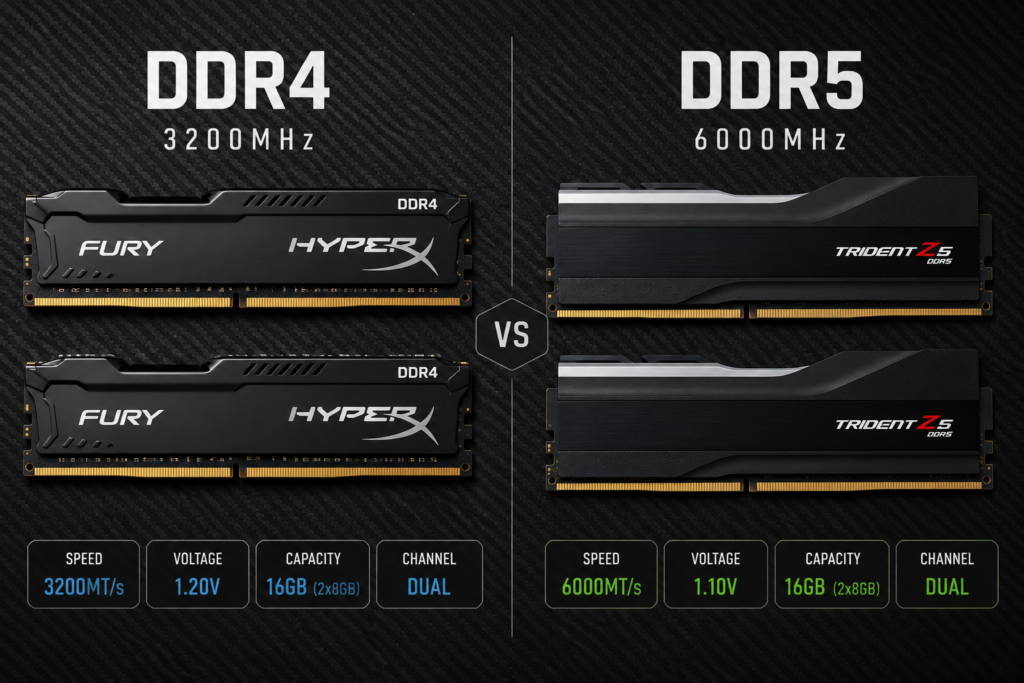
- Enable XMP/EXPO in BIOS. Running DDR5 at JEDEC 4800 MHz instead of rated 6000 MHz can cost 8–12 fps in city areas due to CPU bottlenecking.
- Set Windows Power Plan to Balanced or High Performance. Not Ultimate Performance — it causes micro-stutters in some DirectX 12 titles including CP2077.
- Close background apps. The game benefits from having 2+ free CPU cores available. Discord, Chrome, and streaming software all compete for the same cores during NPC-dense scenes.
- Shader Pre-Compilation: If you haven’t done a fresh install recently, delete the shader cache folder (
%LOCALAPPDATA%\CD Projekt Red\Cyberpunk 2077\shaders) and let it rebuild. Stale caches cause stutters in 2.2+.
Quick Presets by Target FPS
Targeting 60 FPS (Budget GPUs)
Prioritize crowd density Low, volumetric fog Low, ambient occlusion Off, all RT Off, DLSS/FSR Quality enabled.
Targeting 120 FPS (Mid-Range GPUs)
Crowd density Medium, volumetric fog Medium, SSAO, selective RT (reflections only), DLSS Balanced or Quality.
Targeting 144+ FPS (High-End GPUs)
Near-Ultra rasterized settings, RT reflections + shadows, DLSS Quality with Frame Gen (RTX 40-series), volumetric fog High.
Finding Your Exact FPS Baseline
Every system responds differently to these tweaks — your specific CPU/GPU/RAM combination, driver version, and Windows build all affect the outcome. The best practice before and after any settings change is to run a consistent benchmark (the built-in benchmark at Settings > Graphics covers a range of Night City scenarios).
Want to know your expected FPS before you even open the game? Use the Cyberpunk 2077 FPS Calculator at fpscalculator.net — enter your exact hardware and get predicted frame rates across quality presets, with and without upscaling. It’s the fastest way to set realistic expectations and identify whether you’re CPU or GPU bottlenecked before spending time tweaking.
Final Checklist Before You Boot Up
- [ ] GPU driver updated (Nvidia 576.x+ / AMD 25.4+ recommended for May 2026)
- [ ] XMP/EXPO enabled in BIOS
- [ ] Upscaling enabled (DLSS or FSR 4)
- [ ] Volumetric fog set to Low or Medium
- [ ] Crowd density set to Low or Medium
- [ ] Ray tracing disabled unless on mid-range GPU or higher
- [ ] Motion blur, film grain, chromatic aberration Off
- [ ] Shader cache cleared if experiencing micro-stutters
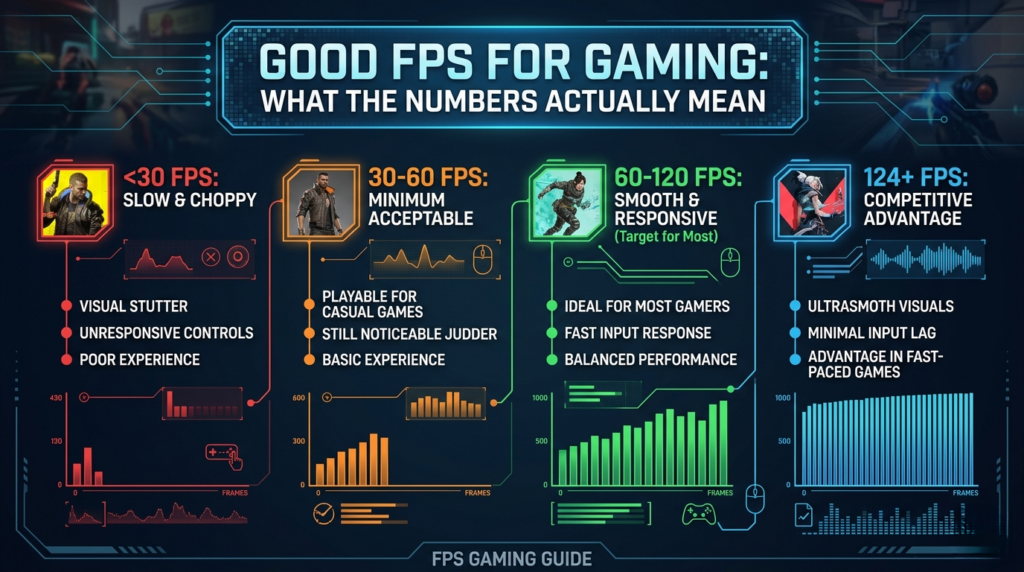
With the optimized best pc settings cyberpunk 2077 fps 2026 configuration above, most systems will see a 25–45% fps improvement over default Ultra settings while retaining 85–90% of the visual fidelity. Night City still looks incredible — you just won’t be watching it at 28 fps anymore.