 FPS Calculator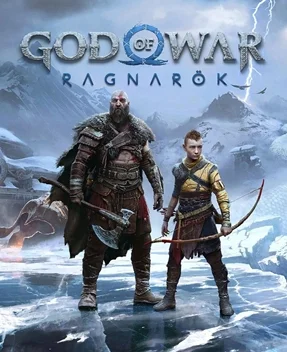
Can I Run God of War on RX 6800 XT?
God of War FPS Benchmark and Performance Analysis
AMD Radeon RX 6800 XT handles God of War without major issues. Expect roughly 90 FPS at 1080p high — smooth for most players. If you're planning to play God of War on AMD Radeon RX 6800 XT, this page gives a practical FPS estimate at 1080p high, plus what to expect at 1440p.
God of War FPS Benchmarks on RX 6800 XT
| Resolution | Settings Preset | Avg FPS | 1% Low FPS | Verdict |
|---|---|---|---|---|
| 1080p | Competitive (Low) | 113 FPS | 75 FPS | Very Good |
| 1080p | High | 90 FPS | 60 FPS | Good |
| 1440p | High | 66 FPS | 42 FPS | Playable |
| 1440p | Ultra | 50 FPS | 32 FPS | Playable |
| 4K | High | 41 FPS | 24 FPS | Low |
Benchmarks are estimated by our performance engine. Actual results may vary.
Best Settings for God of War on RX 6800 XT
- Display Mode
- Fullscreen
- Resolution
- 1920×1080
- V-Sync
- Disabled
- Texture Quality
- High
- Shadow Quality
- Medium
- Anti-Aliasing
- TAA
- Effects Quality
- High
- Post-Processing
- Medium
- Ambient Occlusion
- Enabled
Performance Analysis
Our projection for God of War on AMD Radeon RX 6800 XT is about 90 FPS at 1080p high. At 1440p, that typically translates to around 66 FPS with similar quality targets. This places the card in the high tier for this title, with a smooth experience profile. AMD Radeon RX 6800 XT provides smooth gameplay in God of War, with enough headroom for visual tweaks.
God of War brings Kratos to the Norse realms, showcasing incredible cinematic combat, stunning snowscapes, and deeply detailed character models. To meet the minimum system demands, your PC should have a NVIDIA GTX 960 (4 GB) or AMD R9 290X (4 GB). For optimal performance and smooth rendering, it’s recommended to play with a NVIDIA GTX 1060 (6 GB) or AMD RX 570 (4 GB).
AMD Radeon RX 6800 XT supports FSR 3 with Fluid Motion Frames in compatible titles. When God of War supports FSR 3, Fluid Motion Frames can significantly boost the perceived frame rate on top of the base estimate shown above.
- Lower shadows and volumetrics one step before reducing texture quality.
- Use selective ray tracing (shadows/reflections) and avoid ultra RT presets.
- 1080p: High settings with shadows one step down
- 1440p: Medium/High mix with Quality upscaling
To summarize: expect a smooth experience pairing AMD Radeon RX 6800 XT with God of War, with meaningful gains available through the settings guide above.
Frequently Asked Questions
- Is the God of War PC port well optimized?
- God of War on PC (released January 2022 by Santa Monica Studio and Jetpack Interactive) is widely regarded as one of the best PlayStation-to-PC ports of its era. It supports NVIDIA DLSS 2, AMD FSR 1, and NVIDIA Reflex, has no Denuvo DRM, and exposes a thorough graphics settings menu absent from the console release. Performance scales cleanly across hardware tiers — minimum-spec machines achieve a locked 30 FPS at 1080p on low settings, while recommended-spec hardware delivers stable 60 FPS at 1080p on high. The PC version also removes the console's 30 FPS cap, making high-refresh-rate play fully viable.
- What is the performance difference between God of War on high vs ultra settings?
- God of War's jump from High to Ultra PC settings is GPU-expensive but visually modest in motion. Ambient Occlusion quality and Shadow Distance are the largest contributors to the performance gap between the two presets. At 1080p, switching from High to Ultra typically costs 15–25 FPS on recommended-tier hardware. The most visible improvements in Ultra are shadow softness at distance and indirect lighting quality in enclosed areas like caves. On hardware near the recommended threshold (GPU score 85), running at High — or High with individual Ultra settings toggled selectively — delivers the best balance. DLSS Quality or FSR Performance can recover the Ultra preset cost on supported hardware.