 FPS Calculator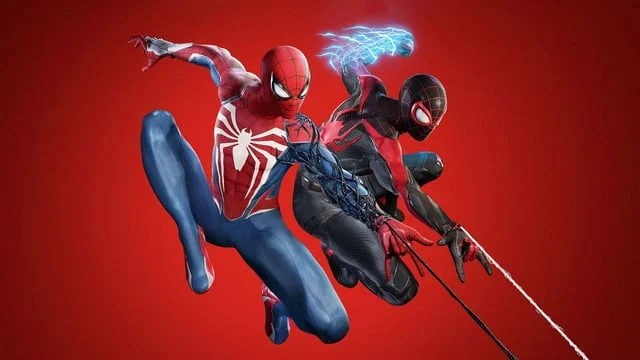
Can I Run Marvel's Spider-Man 2 on RTX 4070?
Marvel's Spider-Man 2 FPS Benchmark and Performance Analysis
Yes, NVIDIA GeForce RTX 4070 can run Marvel's Spider-Man 2. Expect roughly 62 FPS at 1080p high — smooth for most players. Wondering if NVIDIA GeForce RTX 4070 is enough for Marvel's Spider-Man 2? This benchmark estimate focuses on real-world 1080p high performance, then scales to 1440p behavior.
Marvel's Spider-Man 2 FPS Benchmarks on RTX 4070
| Resolution | Settings Preset | Avg FPS | 1% Low FPS | Verdict |
|---|---|---|---|---|
| 1080p | Competitive (Low) | 78 FPS | 52 FPS | Good |
| 1080p | High | 62 FPS | 41 FPS | Playable |
| 1440p | High | 46 FPS | 29 FPS | Playable |
| 1440p | Ultra | 35 FPS | 22 FPS | Low |
| 4K | High | 29 FPS | 17 FPS | Low |
Benchmarks are estimated by our performance engine. Actual results may vary.
Best Settings for Marvel's Spider-Man 2 on RTX 4070
- Display Mode
- Fullscreen
- Resolution
- 1920×1080
- V-Sync
- Disabled
- Texture Quality
- Medium
- Shadow Quality
- Medium
- Anti-Aliasing
- FXAA
- Effects Quality
- Medium
- Post-Processing
- Medium
- Ambient Occlusion
- Disabled
Performance Analysis
NVIDIA GeForce RTX 4070 is estimated around 62 FPS at 1080p high in Marvel's Spider-Man 2. At 1440p, that typically translates to around 46 FPS with similar quality targets. This places the card in the high tier for this title, with a playable experience profile. NVIDIA GeForce RTX 4070 can run Marvel's Spider-Man 2 reliably, but smart setting choices matter for consistency.
Marvel's Spider-Man 2 lets players swing through a massive and visually stunning recreation of New York City with incredibly fast loading speeds and detailed textures. To meet the minimum system demands, your PC should have a NVIDIA GeForce GTX 1650 or AMD Radeon RX 5500 XT. For optimal performance and smooth rendering, it’s recommended to play with a NVIDIA GeForce RTX 3060 or AMD Radeon RX 5700.
NVIDIA GeForce RTX 4070 supports DLSS 3 with Frame Generation in compatible titles. In games like Marvel's Spider-Man 2 that support it, Frame Generation can push perceived frame rates well beyond the base estimate above — particularly useful at 1440p where the GPU is more heavily loaded.
- Use a medium/high mix and prioritize stable frame times over peak FPS spikes.
- Use selective ray tracing (shadows/reflections) and avoid ultra RT presets.
- Prioritize texture quality and reduce volumetrics/shadows first
Overall, NVIDIA GeForce RTX 4070 delivers a playable experience in Marvel's Spider-Man 2 — use the tips above to get the most out of it.
Frequently Asked Questions
- How is the PC port quality of Marvel's Spider-Man 2?
- Marvel's Spider-Man 2 launched on PC in 2024 with Nixxes Software handling the port — the same studio behind the well-received Spider-Man Remastered and Miles Morales PC versions. The port is technically solid, featuring NVIDIA DLSS 3, AMD FSR 3, Intel XeSS, and ray tracing support. Shader pre-compilation on first launch eliminates most stutter. The main hardware demand relative to cost comes from high-resolution asset streaming during fast web-swinging traversal across Manhattan — an NVMe SSD is strongly recommended over a SATA SSD for the smoothest experience.
- What ray tracing options does Marvel's Spider-Man 2 offer on PC?
- Marvel's Spider-Man 2 on PC includes ray-traced reflections, shadows, and ambient occlusion, with a full path tracing (RT Ultra) mode that adds global illumination. Standard RT Reflections are achievable on an RTX 2070 / RX 6700 XT or better with DLSS/FSR Quality mode active. RT Ultra / path tracing demands RTX 3080-tier hardware or above at 1080p with upscaling. The open city of Manhattan — particularly reflective glass skyscrapers during day cycles — is where ray tracing cost is highest. Disabling RT Reflections specifically (while keeping RT Shadows) is an effective middle-ground setting for mid-range GPUs.