 FPS Calculator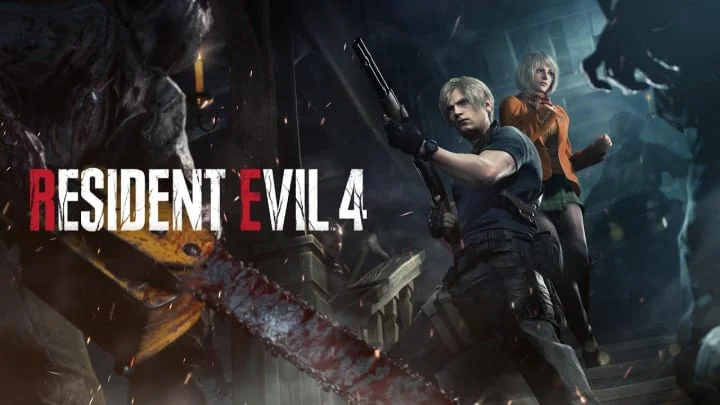
Can I Run Resident Evil 4 Remake on RX 6800 XT?
Resident Evil 4 Remake FPS Benchmark and Performance Analysis
AMD Radeon RX 6800 XT handles Resident Evil 4 Remake without major issues. Expect roughly 81 FPS at 1080p high — smooth for most players. Not sure whether AMD Radeon RX 6800 XT can keep up with Resident Evil 4 Remake? Below you'll find our performance projection at 1080p high along with 1440p scaling data.
Resident Evil 4 Remake FPS Benchmarks on RX 6800 XT
| Resolution | Settings Preset | Avg FPS | 1% Low FPS | Verdict |
|---|---|---|---|---|
| 1080p | Competitive (Low) | 101 FPS | 67 FPS | Good |
| 1080p | High | 81 FPS | 54 FPS | Good |
| 1440p | High | 60 FPS | 38 FPS | Playable |
| 1440p | Ultra | 45 FPS | 29 FPS | Playable |
| 4K | High | 37 FPS | 22 FPS | Low |
Benchmarks are estimated by our performance engine. Actual results may vary.
Best Settings for Resident Evil 4 Remake on RX 6800 XT
- Display Mode
- Fullscreen
- Resolution
- 1920×1080
- V-Sync
- Disabled
- Texture Quality
- High
- Shadow Quality
- Medium
- Anti-Aliasing
- FXAA
- Effects Quality
- Medium
- Post-Processing
- Medium
- Ambient Occlusion
- Disabled
Performance Analysis
AMD Radeon RX 6800 XT is estimated around 81 FPS at 1080p high in Resident Evil 4 Remake. At 1440p, that typically translates to around 60 FPS with similar quality targets. This places the card in the high tier for this title, with a smooth experience profile. AMD Radeon RX 6800 XT provides smooth gameplay in Resident Evil 4 Remake, with enough headroom for visual tweaks.
Resident Evil 4 Remake modernizes the legendary horror title using the RE Engine, delivering terrifyingly detailed monsters and atmospheric lighting. To meet the minimum system demands, your PC should have a AMD Radeon RX 560 / NVIDIA GeForce GTX 1050 Ti. For optimal performance and smooth rendering, it’s recommended to play with a AMD Radeon RX 5700 / NVIDIA GeForce GTX 1070.
AMD Radeon RX 6800 XT supports FSR 3 with Fluid Motion Frames in compatible titles. When Resident Evil 4 Remake supports FSR 3, Fluid Motion Frames can significantly boost the perceived frame rate on top of the base estimate shown above.
- Use a medium/high mix and prioritize stable frame times over peak FPS spikes.
- Use selective ray tracing (shadows/reflections) and avoid ultra RT presets.
- Disable heavy post-processing options first for easy gains
Bottom line: Resident Evil 4 Remake on AMD Radeon RX 6800 XT is smooth, and optimization has a measurable impact.
Frequently Asked Questions
- How efficient is the RE Engine in Resident Evil 4 Remake?
- The RE Engine (used across Resident Evil 7, 2 Remake, Village, and RE4 Remake) is consistently praised as one of the most performance-efficient engines in modern gaming. RE4 Remake achieves exceptional visual fidelity — highly detailed character models, volumetric fog, and dynamic lighting — while running well on mid-range hardware. This efficiency means a GPU at or slightly below the recommended score of 80 can run the game at high settings with a stable 60+ FPS at 1080p. The engine's DirectX 12 implementation is clean with minimal shader stutter. Ray tracing support was added via patch and is well implemented, adding reflections and shadows without the severe overhead seen in less optimized RT implementations.
- Does Resident Evil 4 Remake support ray tracing and is it worth enabling?
- RE4 Remake's ray tracing mode adds ray-traced shadows and ambient occlusion. The quality uplift is real but subtle — the most visible benefit is in the later castle and island chapters where RT shadows on stone architecture add depth. The performance cost is approximately 15–20% on a GPU at the recommended threshold. Given the RE Engine's baseline efficiency, recommended-tier hardware can run ray tracing at High RT settings with DLSS Quality or FSR Quality active at 1080p while maintaining 60+ FPS. If you are on the minimum GPU tier (score ~65), skip ray tracing and enjoy the excellent rasterized image quality, which is strong on its own.