 FPS Calculator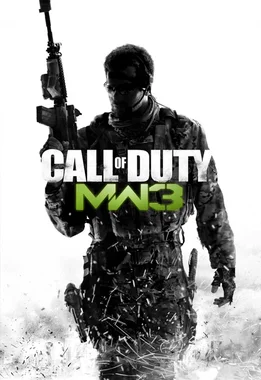
Can I Run Call of Duty Modern Warfare 3 on RTX 4070 Ti?
Call of Duty Modern Warfare 3 FPS Benchmark and Performance Analysis
Yes, NVIDIA GeForce RTX 4070 Ti can run Call of Duty Modern Warfare 3. Expect around 120 FPS at 1080p high, with strong high-refresh potential. Call of Duty Modern Warfare 3 can behave very differently depending on settings and GPU headroom. This estimate shows where NVIDIA GeForce RTX 4070 Ti lands and how to tune it for smoother gameplay.
Call of Duty Modern Warfare 3 FPS Benchmarks on RTX 4070 Ti
| Resolution | Settings Preset | Avg FPS | 1% Low FPS | Verdict |
|---|---|---|---|---|
| 1080p | Competitive (Low) | 150 FPS | 100 FPS | Very Good |
| 1080p | High | 120 FPS | 80 FPS | Very Good |
| 1440p | High | 89 FPS | 57 FPS | Good |
| 1440p | Ultra | 67 FPS | 43 FPS | Playable |
| 4K | High | 51 FPS | 30 FPS | Playable |
Benchmarks are estimated by our performance engine. Actual results may vary.
Best Settings for Call of Duty Modern Warfare 3 on RTX 4070 Ti
- Display Mode
- Fullscreen
- Resolution
- 1920×1080
- V-Sync
- Disabled
- Texture Quality
- High
- Shadow Quality
- High
- Anti-Aliasing
- TAA
- Effects Quality
- High
- Post-Processing
- Medium
- Ambient Occlusion
- Enabled
Performance Analysis
At 1080p high, our model places NVIDIA GeForce RTX 4070 Ti near 120 FPS in Call of Duty Modern Warfare 3. At 1440p, that typically translates to around 89 FPS with similar quality targets. This places the card in the high tier for this title, with a high refresh experience profile. NVIDIA GeForce RTX 4070 Ti delivers high-refresh class performance in Call of Duty Modern Warfare 3, especially with a competitive or high preset.
Call of Duty Modern Warfare 3 continues the iconic shooter franchise with fast-paced action, realistic weapon models, and highly detailed battlegrounds. To meet the minimum system demands, your PC should have a NVIDIA GeForce GTX 960 / GTX 1650 or AMD Radeon RX 470. For optimal performance and smooth rendering, it’s recommended to play with a NVIDIA GeForce GTX 1080 Ti / RTX 3060 or AMD Radeon RX 6600 XT.
NVIDIA GeForce RTX 4070 Ti supports DLSS 3 with Frame Generation in compatible titles. In games like Call of Duty Modern Warfare 3 that support it, Frame Generation can push perceived frame rates well beyond the base estimate above — particularly useful at 1440p where the GPU is more heavily loaded.
- Lower shadows and volumetrics one step before reducing texture quality.
- Use selective ray tracing (shadows/reflections) and avoid ultra RT presets.
- 1080p: High/Ultra settings with low-latency mode enabled
- 1440p: High settings, use Quality upscaling only if needed
NVIDIA GeForce RTX 4070 Ti lands in a high refresh position for Call of Duty Modern Warfare 3. Dialing in the right preset makes a noticeable difference at this performance level.
Frequently Asked Questions
- What settings should I prioritize for competitive play in Modern Warfare III?
- For competitive Modern Warfare III, prioritize frame rate over visual quality. Set Texture Resolution to Low or Normal to reduce VRAM pressure, disable Ray Tracing, and set Shadow Map Resolution to Low. The most critical competitive display settings are enabling On-Demand Texture Streaming (set to 0 cache) to prevent mid-match bandwidth spikes, and setting NVIDIA Reflex (or AMD equivalent) to Enabled + Boost to minimize input latency. A stable 144+ FPS with low frame time variance is far more valuable than higher average FPS with spikes.
- Does Modern Warfare III support DLSS or FSR?
- Modern Warfare III supports NVIDIA DLSS 3 (Super Resolution + Frame Generation on RTX 40-series), DLSS 2 Super Resolution on older RTX cards, AMD FSR 2, and Intel XeSS. For competitive play, all upscaling should be approached carefully — upscaling introduces a small amount of input latency and can create visual artifacts around fast-moving targets. Quality mode upscaling is generally imperceptible at 1080p, but Performance mode at 1080p can produce noticeable edge softness. If your hardware hits 144+ FPS natively, skip upscaling entirely.