
Quick Answer: The best budget GPU for 300 FPS in Counter-Strike 2 is the NVIDIA RTX 4060, which delivers 350–400 FPS at 1080p Low settings thanks to NVIDIA Reflex reducing input lag. The AMD RX 7600 is the top value alternative, matching or beating the 4060 in raw FPS at a lower price. CS2 is CPU-bound, so pair either card with at least a Ryzen 5 5600 or Intel i5-12400.
Is your rig stuttering harder than a Silver 1 with an AWP? Listen, choom—Counter-Strike 2 isn’t just about clicking heads anymore. Since Valve dropped the Source 2 update, the game has become a legitimate hardware hog. You used to run CS:GO on a toaster, but today? You need real silicon to lock in that buttery smooth gameplay. If you’re hunting for the best budget GPU for 300 FPS in CS2 without selling a kidney, you’ve landed in the right lobby.
We’re talking high-refresh-rate dominance, optimized frame times, and the kind of smoothness that makes your flicks feel telepathic. Let’s turn that potato PC into a competitive beast.
The Diagnosis: Why Your Frames Are Dropping
Before we throw hardware at the problem, you need to understand why you’re lagging. CS2 is a different beast compared to its predecessor.
-
The Engine Upgrade: Source 2 utilizes the GPU much more heavily for lighting, volumetric smoke (those fluffy grey clouds), and water effects.
-
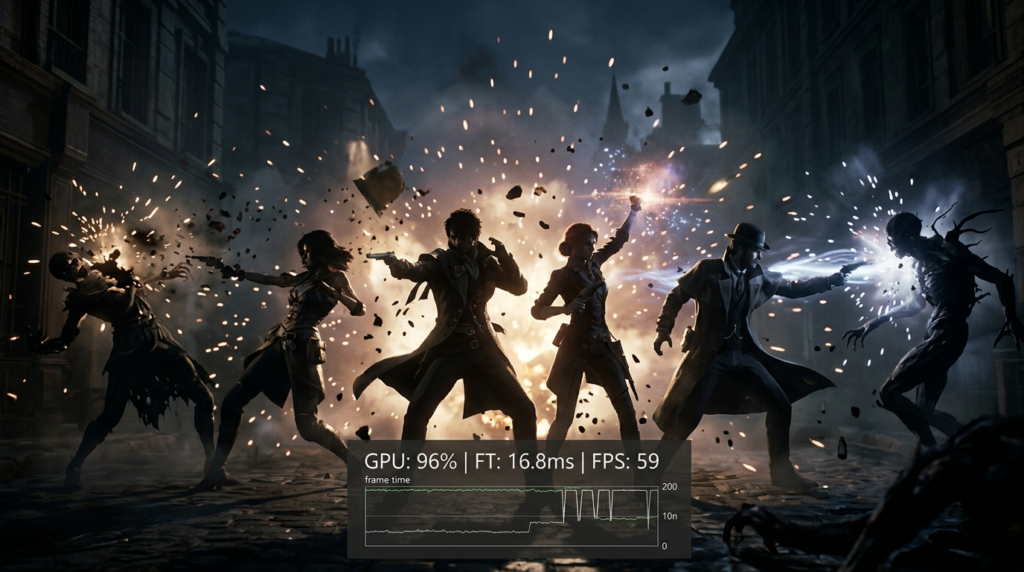
The 1% Lows: This is the metric that actually matters. Your “Average FPS” might be 200, but if your 1% lows dip to 90 FPS during a smoke execute on Mirage, you will feel that micro-stutter. That split-second freeze is why you lost the duel.
-
The Bottleneck Trap: CS2 is still incredibly CPU-bound. You can buy the most expensive graphics card on Earth, but if your CPU is ancient, you’ll never hit a stable 300 FPS.
Technical Note: Think of your CPU as the strategist calling the plays, and your GPU as the soldier executing them. If the strategist (CPU) is slow, the soldier (GPU) stands around doing nothing. This guide assumes you have at least a modern mid-range CPU (Ryzen 5 5600 / Intel i5-12400 or better).
(Visual Recommendation: Insert “CPU vs GPU Bottleneck” Infographic here – showing a wide pipe [GPU] choked by a narrow funnel [CPU])
The Solutions: Best Budget GPU for CS2 (2026 Rankings)
Target: 1080p (or 1280×960 Stretched) / Low Settings / 300+ Stable FPS
In 2026, “budget” doesn’t mean “bad.” It means smart. We are looking for cards that offer high clock speeds and solid rasterization performance, because CS2 doesn’t care much about Ray Tracing or DLSS (mostly).
1. The Overall Champion: NVIDIA GeForce RTX 4060
If you want a “plug and play” experience that just works, this is the one. By 2026 standards, the RTX 4060 has settled into an incredible price-to-performance sweet spot.
-
Why it wins: Two words: NVIDIA Reflex.
-
CS2 feels significantly snappier with Reflex enabled (Ultra Low Latency). It reduces system latency, ensuring that when you click, the server knows about it instantly.
-
-
Performance: At 1080p Low settings, the 4060 easily pushes 350-400 FPS in matchmaking, provided your CPU keeps up.
-
The Verdict: The safest bet for aspiring pros who hate input lag.
2. The Value King: AMD Radeon RX 7600
For the pure framerate chasers who count every dollar. AMD cards have traditionally offered better “raw” performance per dollar, and the RX 7600 is a monster for CS2.
-
Why it wins: CS2 loves raw clock speed and rasterization power, which AMD excels at. The Adrenalin software also has “Radeon Anti-Lag 2,” which has become a solid competitor to Nvidia Reflex in CS2.
-
The Trade-off: You lose access to Nvidia’s encoder (NVENC) if you plan on streaming, but strictly for gaming? This card screams.
-
Performance: You can expect to rival or even beat the 4060 in pure FPS numbers on stretched resolutions.
3. The “Used Market” Legend: RTX 3060 (12GB)
If you’re comfortable buying second-hand or finding old stock, the RTX 3060 12GB is the unkillable cockroach of PC gaming (in a good way).
-
Why it wins: The massive 12GB VRAM buffer makes it surprisingly future-proof for other games you might play. For CS2, it’s still more than capable of holding 250-300 FPS on competitive settings.
-
Warning: Avoid the 8GB version of the 3060; it’s significantly slower.
The “Secret Sauce”: Optimized Settings for 300 FPS
Hardware is only half the battle. If you run CS2 on “High” presets, even a NASA supercomputer will feel sluggish. Here is the config used by high-end enthusiasts to guarantee that 300 FPS target.
Video Settings:
-
Resolution: 1280×960 (4:3 Aspect Ratio) -> Select “Fullscreen” and ensure scaling is set to “Stretched” in your GPU control panel. This makes player models wider and easier to hit.
-
Refresh Rate: Max your monitor (144Hz, 240Hz, or 360Hz).
-
Boost Player Contrast: Enabled. (Crucial for spotting enemies in dark corners).
-
Model/Texture Detail: Medium. (Low can sometimes make skins look too muddy to identify).
-
Shader Detail: Low.
-
Particle Detail: Low. (Saves FPS during smoke/molotov chaos).
-
Ambient Occlusion: Disabled.
-
High Dynamic Range: Performance.
-
FidelityFX Super Resolution: Disabled (Native/Stretched looks clearer).
-
NVIDIA Reflex Low Latency: Enabled + Boost.
Launch Options (Steam):
Right-click CS2 in Steam > Properties > Launch Options. Add:
-high -freq 240 +fps_max 0 -novid
(Replace 240 with your monitor’s refresh rate. +fps_max 0 uncaps your framerate, letting you see if you’re hitting that 300 mark).
Pair your GPU upgrade with proper OS-level optimization, our Windows 11 gaming configs guide covers the system tweaks that help you hit and hold 300 FPS consistently.
Ready to see exactly how your specific rig will handle the game before you buy? Don’t guess—calculate.
Check your estimated FPS here: CS2 FPS Calculator
Conclusion: The Verdict
Hitting 300 FPS in Counter-Strike 2 isn’t just vanity; it’s a competitive advantage. It reduces input lag and makes tracking moving targets feel seamless.
For 2026, the NVIDIA RTX 4060 takes the crown as the best budget GPU for 300 FPS in CS2 due to its consistency and Reflex support. However, if every penny counts, the RX 7600 is a rasterization beast that will serve you faithfully.
Stop blaming the server, grab one of these cards, and start climbing the Premier leaderboards.
Would you like me to compare specific CPU pairings for these GPUs to ensure you avoid a bottleneck?